Website traffic monitoring

Know where your website traffic comes from. Understand what makes it grow.

Running a website is easier when you know what's happening. WEBPilot helps you follow your visitors, understand your traffic sources, and keep track of the changes that may be affecting your results.

Free plan. No credit card.

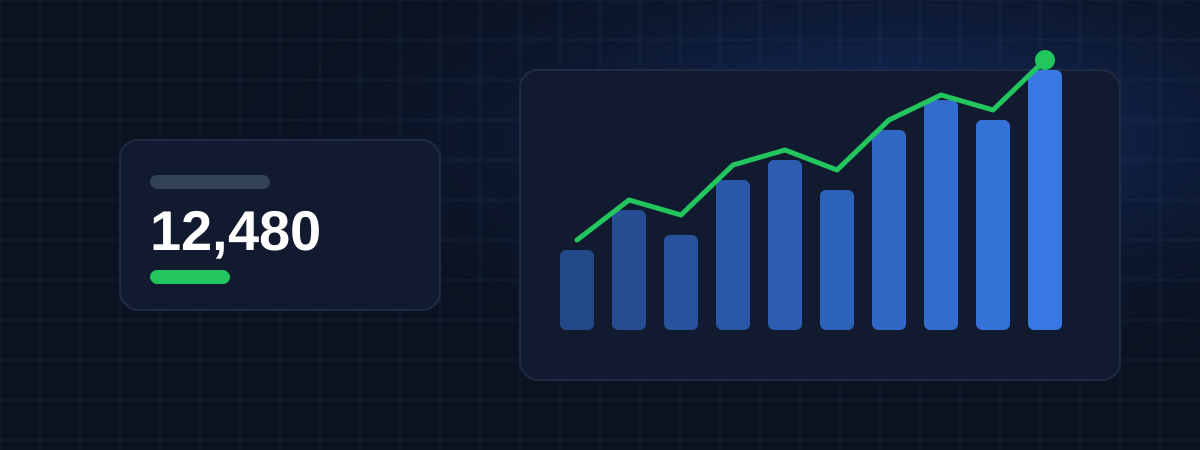
Illustrative preview with sample data

Where WEBPilot stands today

WEBPilot is in early access. You can already create an account, add your websites and keep a log of what you change on each one. Visitor tracking is being built and will be released in stages. Every feature on this site is labeled as available or in development.

The problem

A traffic number on its own rarely explains anything

You open your analytics, notice that visits dropped last week, and the questions start. Was it Google? A campaign that ended? The new homepage? Most tools show the number but not what happened around it. If you look after more than one website, you also end up switching between logins and spreadsheets to put the story together.

What it costs

When nobody keeps track, the same mistakes come back

  • A drop goes unnoticed for weeks because nobody looks until the monthly report.
  • Money keeps going into campaigns that stopped bringing visitors.
  • A change that hurt traffic is forgotten, then repeated in the next redesign.
  • Good results can't be repeated because no one remembers what caused them.
The solution

Your traffic and your history, in the same place

WEBPilot shows where visitors come from and keeps a dated record of the work done on each website. When the chart moves, the likely reason is right next to it.

Understand your website traffic

Every visit arrives from somewhere. WEBPilot groups visits by origin, so you can tell at a glance whether growth comes from search engines, ads, other websites or people typing your address.

Organic search

People who found you on Google, Bing or another search engine without clicking an ad.

Paid traffic

Clicks on ads, recognized by ad click identifiers and UTM tags.

Direct

Typed addresses, bookmarks and links opened from apps that don't pass a referrer.

Referral

Links on other websites: blogs, directories, partners and news sites.

Social

Visits from Instagram, LinkedIn, Facebook, X, YouTube and other networks.

Traffic Sources →

Monitor multiple websites

Agencies, freelancers and companies with several brands usually juggle one login per site. In WEBPilot every website sits on the same panel, with its own domain, language, time zone and history.

  • One account for every website you look after
  • Separate language and time zone per website
  • Block view or list view, remembered for you
  • Several users per company account

See what's happening in real time In development

When you publish a post, send a newsletter or start a campaign, the first minutes say a lot. The real-time view will show how many people are on the site now, what they are reading and where they came from.

  • Active visitors in the last few minutes
  • Pages being viewed right now
  • Live sources, to confirm a campaign is bringing people

Learn more →

Track your website strategies Available now

This is what most analytics tools leave out. Write down what you changed and when. Later, when traffic goes up or down, you can look back and see what was done in that period.

Things you can record

  • Articles published
  • SEO changes
  • Campaign launches
  • Ad spend changes
  • Landing page updates
  • Structural changes to the site
  • Content updates

The strategy log is available today. Showing the entries on the traffic chart will arrive together with data collection.

Learn more →

Simple setup

You don't need a developer to get started.

  1. Create your account

    Name, e-mail, password and company name. That's all.

  2. Add your website

    Give it a name and type the domain, such as mystore.com.

  3. Paste one line of code

    The tracking snippet goes in your site's head section. It works with WordPress, Shopify, Wix and custom sites. Available when data collection launches.

How It Works →

Plans for one website or fifty

Start free with one website. Paid plans add more websites, longer history and more people on the account. Prices are in US dollars and are provisional while WEBPilot is in early access. Nothing is charged today.

Free

For a personal website or a first project.

$0/month
Free
  • 1 website
  • 10,000 pageviews per month
  • 6 months of history
  • 1 user
  • Traffic overview
  • Traffic sources
  • Real-time visitors
  • Strategy timeline
Create free account

Starter

For small businesses with a few websites.

$9/month
USD
  • 3 websites
  • 100,000 pageviews per month
  • 24 months of history
  • 2 users
  • Traffic overview
  • Traffic sources
  • Real-time visitors
  • Strategy timeline
  • UTM campaign tracking
  • Period comparison
Start free, upgrade later
Most complete for teams

Pro

For marketing teams that test and measure often.

$29/month
USD
  • 10 websites
  • 500,000 pageviews per month
  • 36 months of history
  • 5 users
  • Traffic overview
  • Traffic sources
  • Real-time visitors
  • Strategy timeline
  • UTM campaign tracking
  • Period comparison
  • Custom events and conversions
  • Traffic alerts
  • Scheduled reports
Start free, upgrade later

Agency

For agencies and freelancers managing client websites.

$79/month
USD
  • 50 websites
  • 2,000,000 pageviews per month
  • 60 months of history
  • 20 users
  • Traffic overview
  • Traffic sources
  • Real-time visitors
  • Strategy timeline
  • UTM campaign tracking
  • Period comparison
  • Custom events and conversions
  • Traffic alerts
  • Scheduled reports
  • Client-ready reports
  • Priority support
Start free, upgrade later

All prices in US dollars (USD). See pricing →

Latest articles

Practical guides about traffic, SEO and measurement.

All articles

Frequently asked questions

Can WEBPilot collect my traffic today?

Not yet. Right now you can create an account, register your websites and use the strategy log. Visitor collection is in development and will be released in stages. Each feature page says clearly what works today and what doesn't.

Do I need technical knowledge?

No. Adding a website only takes a name and a domain. When tracking launches, installing it will mean pasting one line of code, and we will publish step-by-step guides for the most common platforms.

Can I follow more than one website?

Yes. All your websites stay under the same company account. How many you can add depends on the plan.

Will the tracking script slow down my site?

It is being written to be small and to load without blocking the page. Its size and behavior will be documented before release.

How will visitor privacy be handled?

The tracker is being designed to collect as little personal data as possible and to respect consent choices where the law requires them, such as under the GDPR and the LGPD. The privacy policy will be updated with the details before any visitor data is collected.

How much does it cost?

There is a free plan. Paid plans are listed on the pricing page in US dollars. Those prices are provisional during early access and nothing is charged in this period.

Can my team use the same account?

The account structure already supports several users per company. Inviting teammates from the dashboard is one of the next features to be released.

Add your first website today

Create a free account, register your websites and start writing down what you change. When tracking goes live, your history will already be there.

Create free account